
There’s this misconception in the R community that Shiny is the only way to make a “real” web app.
Hear me out: you might only need {plumber2} and {htmltools}.
TL;DR Shiny
{shiny} is, in my opinion, R’s 4th biggest success (behind {dplyr}, {ggplot2}, and {magrittr}).
It is a reactive framework for building web applications.
{shiny} creates a web server that lets users send messages between the client (aka browser) and the server (the R process) using something called websockets.
Messages get sent from the browser.
R receives them, does stuff, and sends a message back.
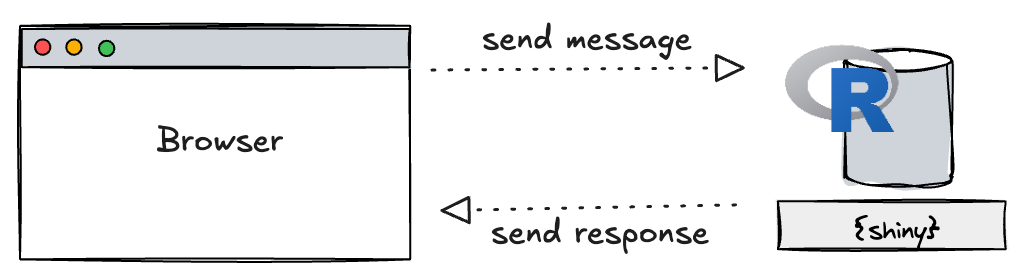

This websocket connection is both one of {shiny}’s greatest strengths and weaknesses.
If the connection is lost for any reason, the app disconnects completely and you lose your state in the app.
On many other types of websites, some amount of “state” is kept in the URL, e.g. /search?query=espresso&page=2.
{shiny} creates single page applications (SPA), which means it can only ever serve one path: /.
Though there are some approaches (see {brochure} or {shiny.router}), {shiny} is not designed for navigating.
One downside is that {shiny} cannot have bookmarked URLs and all state has to be kept in memory.
Routing
In other languages, many web frameworks are built upon something called a router. A router takes incoming web traffic and routes it to a handler, which generates a response.
To be overly general, a request flow looks like so:
- A user navigates to a route, e.g.
https://localhost:6188/about. - The web server (an R, Julia, or Python process that is always running) takes the request and sends it to the correct handler.
- The handler does something with the information in the request and returns a response.
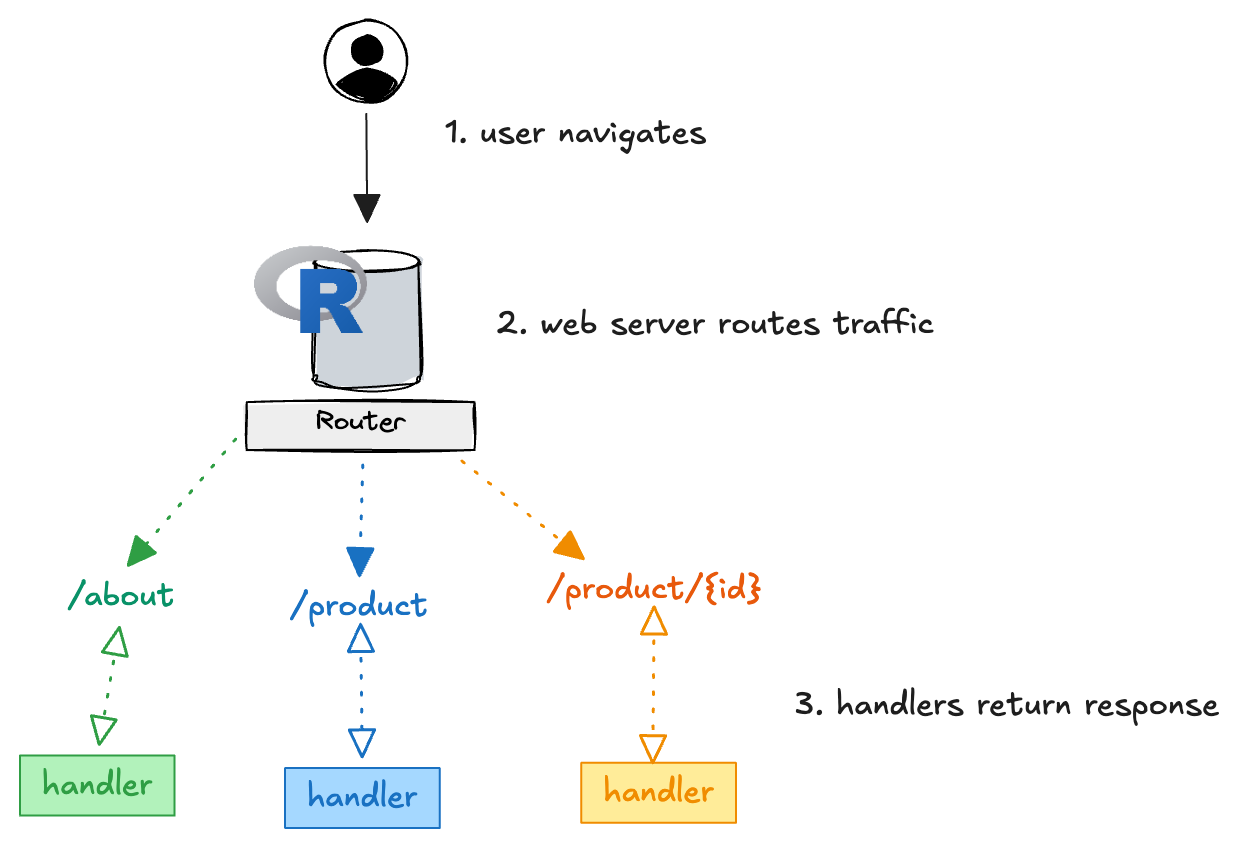
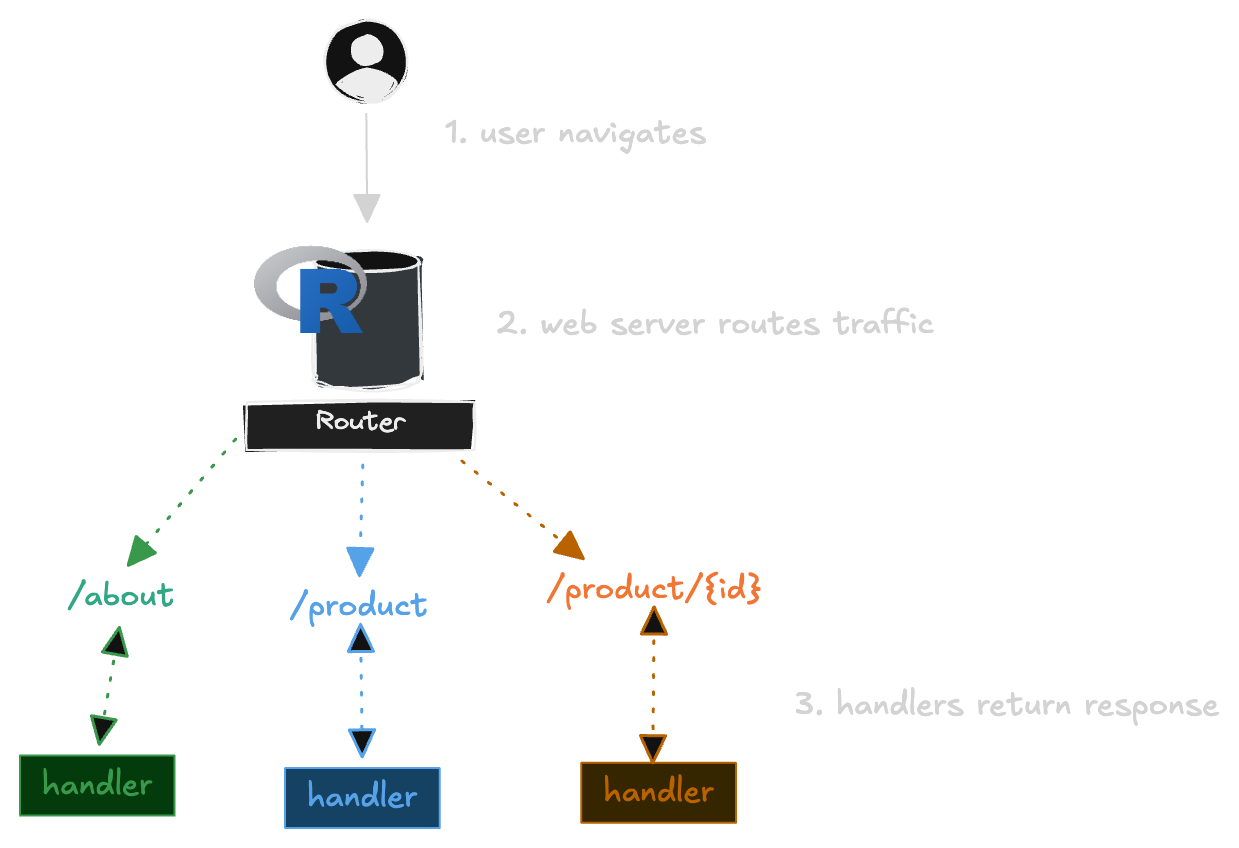
Those handlers generate the output expected of the web server. In the R ecosystem we already have packages that do this:
Here is the router for the demo app later in this post, simplified for brevity:
html <- get_serializers("html")

api() |>
  api_get("/", get_home, serializers = html) |>
  api_get("/products", get_products, serializers = html) |>
  api_get("/products/<slug>", get_product, serializers = html) |>
  api_get("/about", get_about, serializers = html) |>
  api_run(port = 8080)
Server-side rendering
Instead of relying on the browser and the server to talk over a websocket, we can lean on the routes to determine what to render. We can also use our handlers to generate the entire web page as a response. This is called server-side rendering because the server (the R process) renders the entire web page.
In R, {plumber2} and {ambiorix} do exactly this.
R functions generate the entire HTML page and send it back as a response.
Here is the handler for /products/<slug>:
get_product <- function(slug, response) {
  coffee <- coffees[[slug]]

  if (is.null(coffee)) {
    response$status <- 404L
    return(layout(title = "Not found", tags$h1("That coffee hopped away.")))
  }

  layout(
    title = coffee$name,
    tags$h1(class = "title", coffee$name),
    tags$p(class = "text-lg", coffee$blurb),
    tags$span(paste0("$", coffee$price))
  )
}
There are a number of benefits to this:
- A flaky connection doesn’t end the session
- Page links can be bookmarked without cookies
- No server overhead to maintain websockets
- Pages can be cached by the browser
- Enables the use of “middleware” (i.e. auth and session storage)
A coffee company mockup
As an example, I’ve made the same website twice, once using {plumber2} and once using {shiny}, for a made-up coffee company called “Jackalope,” named after the mythical North American jackrabbit with antlers (source).
For the server-side rendered {plumber2} application I created the following routes:
/aboutan about page/a landing page/productsa listing of all coffees/products/<slug>each individual coffee product
Here is the {shiny} version of the site:
Going to /products/ethiopia-yirgacheffe takes you directly to that coffee.
In the {shiny} app you can navigate from the home page to the coffee, but you cannot get there directly without additional work with cookies.
Some closing thoughts
In the past 2 years building ricochet, I’ve learned a ton about web frameworks and how they work: what I like about them and what I don’t. One takeaway from all of this is that R actually has a really rich and diverse full-stack web development experience. I think there’s room to make it better and a competitive tool for building entire websites.
There’s also the topic of generating the HTML required for a page.
You can see how I’ve tackled that using the new package {basecoat} in the source for the demo applications.
I’ve not had time to cover it here, but this concept of “do everything on the server” makes so much possible.
In particular, the package {htmxr} makes interactivity with a full page router a complete breeze!
Deploy your own
Are you ready to push to prod? Let’s talk about how you can put R in production. Schedule a demo and we’ll show you how to deploy and scale your own apps with ricochet.